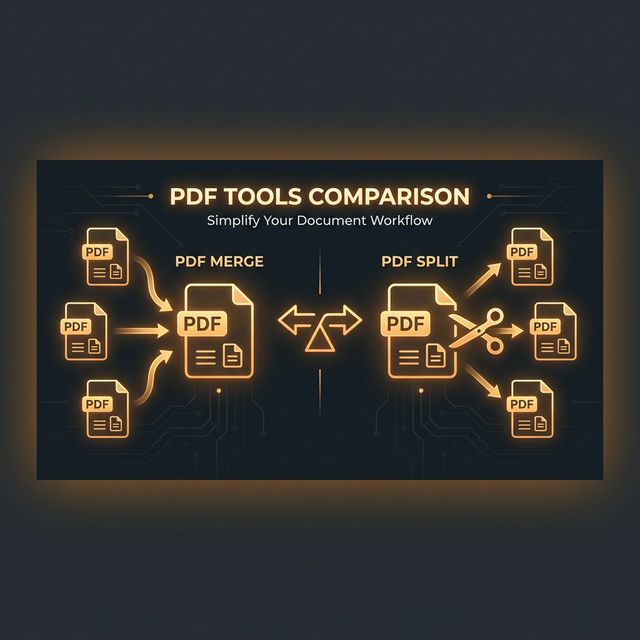
What's the Difference?
A PDF Merger combines two or more separate PDF files into one unified document. A PDF Splitter does the reverse — it takes one PDF and breaks it into multiple smaller documents. They solve opposite problems, but both are essential for professional document management.
📎 PDF Merger
- • Combines multiple PDFs into one file
- • Lets you reorder pages before merging
- • Creates a single file for easy sharing
- • Useful for reports, portfolios, applications
- • Output: 1 merged PDF file
✂️ PDF Splitter
- • Extracts pages or page ranges from one PDF
- • Splits into multiple smaller PDFs
- • Removes unwanted pages from documents
- • Useful for separating chapters, invoices, reports
- • Output: Multiple PDF files
When to Use a PDF Merger
PDF merging solves the problem of too many scattered files. Here are the most common real-world scenarios where merging PDFs saves time:
1. Job Applications and Academic Submissions
Most Indian government job portals (SSC, UPSC, State PSCs) and private job applications require you to upload a single PDF containing your resume, cover letter, educational certificates, work experience letters, and ID proof. Merging these into one 2–5MB file is far easier than managing 8 separate files.
2. Business Reports and Proposals
Financial reports are often generated as separate PDFs — balance sheet, P&L statement, cash flow, notes to accounts. Merging these into one annual report PDF is the standard practice for professional sharing with auditors, investors, or clients.
3. Project Documentation
Engineers and architects often work with drawings, specifications, and approval letters as separate PDFs. Merging creates a complete project file that can be archived or shared as a single document.
4. Invoice Batch Archives
Accountants sometimes need to merge 30 monthly invoices into a single quarterly PDF for GST filing or client billing summaries. Merging hundreds of small PDFs is much faster than sending individual files.
When to Use a PDF Splitter
PDF splitting solves the opposite problem — one large document that needs to be broken apart:
1. Extracting Specific Pages
You received a 50-page combined report but only need pages 12–18 (the financial summary). Instead of sharing the entire document, split out just those pages and share the relevant extract.
2. Separating Invoices from a Batch PDF
Banks and e-commerce platforms sometimes issue all monthly statements as one combined PDF. Splitting these into individual months makes them easier to file, upload, and reference.
3. Study Material Management
JEE, NEET, and UPSC study material often comes as huge combined PDFs with hundreds of pages. Splitting by chapter or topic makes the material more manageable on mobile devices and easier to study chapter by chapter.
4. Removing Sensitive Pages
Before sharing a PDF with external parties, you may need to remove pages containing confidential information — Aadhaar numbers, salary details, internal cost sheets. Split out only the pages you want to share.
Head-to-Head Comparison
| Scenario | Use Merger? | Use Splitter? |
|---|---|---|
| Combine resume + certificates for job application | ✅ Yes | ❌ No |
| Extract chapter 5 from a 200-page book PDF | ❌ No | ✅ Yes |
| Reduce email attachment size (too many files) | ✅ Yes | ❌ No |
| Remove confidential pages before sharing | ❌ No | ✅ Yes |
| Create a portfolio from multiple project files | ✅ Yes | ❌ No |
| Separate 12-month bank statements into individual months | ❌ No | ✅ Yes |
| Combine invoices into a quarterly archive | ✅ Yes | ❌ No |
| Share only relevant pages from a legal document | ❌ No | ✅ Yes |
Can You Use Both Together?
Absolutely — and many real workflows require both. A common example: You receive a 100-page combined yearly report PDF. You split it to extract the Q3 section (pages 45–68). You then merge those pages with your own analysis document and a cover page to create a presentation-ready PDF for your client. Split first, then merge.
Privacy and Security
Both ToolsWallet's PDF Merger and PDF Splitter process your documents entirely in your browser using JavaScript. Your PDF files are never uploaded to any server — critical when working with legal, financial, or government documents containing sensitive personal information.